Last updated: October 11, 2026
Key Takeaways
- The most useful features are brief generation, coverage checks, SERP analysis, heading help, and internal-link prompts.
- Strong tools improve optimization without forcing awkward repetition.
- The features that help content rank most are intent matching, topical coverage, competitor comparison, and editorial control.
- Solo writers usually need simplicity; teams need consistency.
SEO writing tools help when they do two jobs at once: they keep the draft readable for a human and they catch the on-page signals search engines still rely on, such as search intent fit, heading structure, topical coverage, and internal-link opportunities. I write about SEO writing tools: features that help content rank for marketers, editors, and solo site owners who need a tool that shortens revision time without turning every article into keyword soup. In practice, the best results usually come from tools used on pages with 500 to 2,000 words, where structure and coverage matter most.
The question behind this topic is simple: which features are worth paying attention to, and which ones are just dashboard decoration? I would focus on tools that improve decisions, not tools that only produce more data. A tool that gives you 40 metrics and no clear next step is often worse than a smaller one that tells you where the gap is. Google’s own guidance on helpful, people-first content supports that emphasis on usefulness over metric-chasing.
Which SEO writing features actually move the needle?

The features that matter most are the ones that change what you write: content brief generation, topical coverage checks, SERP analysis, heading suggestions, and internal-link prompts. Those are the features that affect ranking potential before publication, not after the article has already sat there for three months.
The feature I value most is search-intent guidance. If a tool can tell the difference between “buy,” “compare,” “learn,” and “solve,” it saves you from writing the wrong kind of page. A piece aimed at “best SEO writing tools” should not read like a glossary entry. A piece aimed at “how to use SEO writing tools” should not read like a sales page. That sounds basic, but many tools still fail here and push the same generic keyword targets to every page.
The next feature that earns its keep is coverage analysis. Good tools surface related terms, entities, questions, and headings that are common in strong ranking pages. I am not talking about stuffing synonyms into paragraphs. I am talking about checking whether the draft answers the supporting questions the search result set already expects. If top-ranking pages all cover pricing, integrations, editing workflow, and limits, your draft needs to cover those too.
A third useful feature is editorial guidance inside the writing interface. That can mean readability nudges, heading structure warnings, duplicate-language checks, or suggestions for where to add a question heading. These features do not rank a page by themselves, but they reduce basic mistakes that hold content back. Semrush, Surfer, and Clearscope all frame these checks around optimization before publishing, not after.
What I would not treat as decisive: a long list of “SEO score” badges. Scores can be useful as a rough checkpoint, but they often flatten the difference between good writing and keyword counting. If the tool cannot explain why the score moved, I treat the score as cosmetic. If you are unsure whether to trust a score, consult a professional editor or SEO specialist and compare the result against Google’s Search Central guidance.
What should an SEO writing tool do before you publish?
It should help you make the page closer to the search result the user actually wants, and it should do that before the article goes live. That is the stage where SEO writing tools earn their fee.
For me, the most useful pre-publish functions are these:
- Brief creation: a good brief should identify the search intent, likely subtopics, questions, and competitor patterns.
- Outline support: headings should reflect the likely structure of the best answer, not just the keyword phrase.
- Entity and term suggestions: the tool should surface related terms that belong naturally in the topic, such as standards, features, problems, or product categories.
- Heading checks: if the page title promises comparison, the body should actually compare.
- Duplicate detection: thin paraphrase is a common problem in SEO drafts, especially when teams scale content quickly.
The best tools here behave like a sharp editor with an SEO memory. They do not just say “add the keyword.” They point to the missing piece: maybe the draft never answers “who should not buy this,” or maybe it skips the limitation that real buyers care about most. That is the difference between surface-level optimization and useful optimization.
A generic article often misses one thing: ranking pages are frequently shaped by expected subquestions, not just the main keyword. If the search result page is full of comparison posts, reviews, and how-to guides mixed together, the writer needs to know which subquestions to answer to satisfy that mixed intent. Tools that only count instances of a phrase do not help here.
The practical limitation is that brief generators can be overconfident. They may surface useful ideas, but they also can suggest weak or irrelevant headings if the underlying query is ambiguous. I would use them as a starting point, then cut hard. If a suggested section does not answer a reader’s next question, it does not belong. Ahrefs, Moz, and Google Trends are useful cross-checks when the tool’s brief feels too neat to be true.
How do SEO writing tools handle optimization without wrecking the draft?
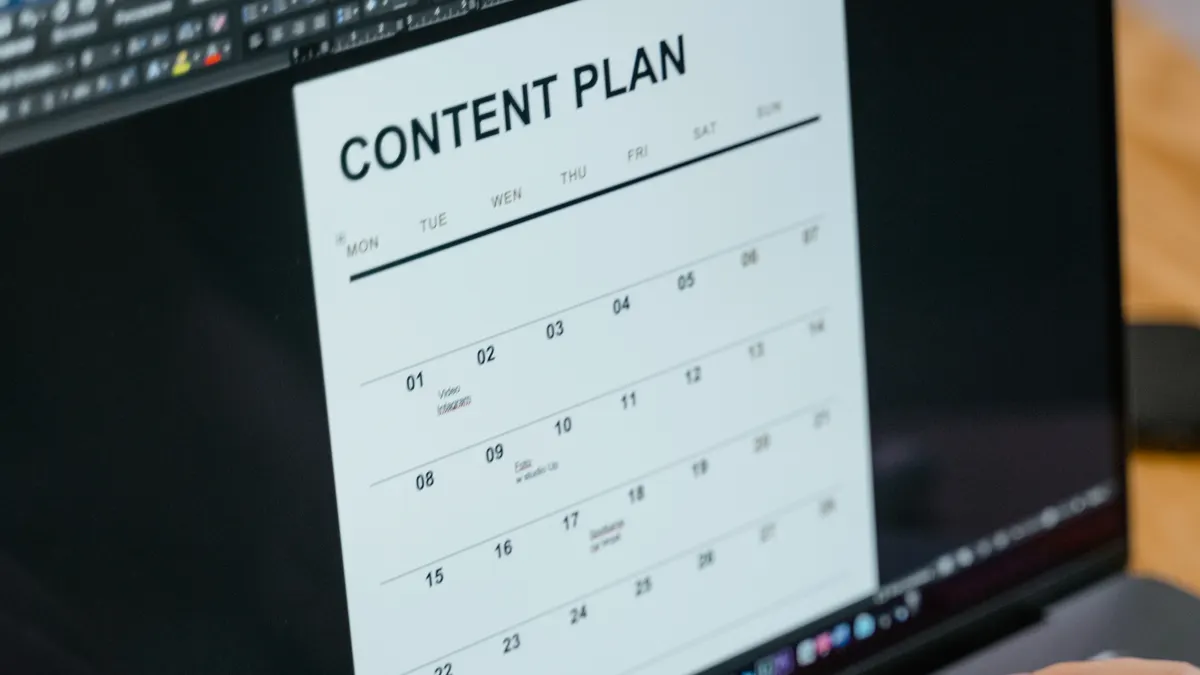
The best ones guide optimization without forcing unnatural repetition, while the weaker ones tempt you into writing for a meter instead of a person. That trade-off matters more than most buyers admit.
A strong writing tool should help with contextual placement, not just frequency. It should show where the phrase fits naturally in a headline, intro, body copy, or alt-style supporting sentence. It should also warn when the page starts drifting away from the topic, which happens often in long-form content.
I would especially look for tools that support:
- Question-based headings
- Readability and sentence-length checks
- First-draft editing inside the same workspace
- Content gap detection against competitors
- Notes for internal links and anchor text
The honest drawback is that these tools can create formulaic prose if you obey every prompt. A content editor that insists on exact keyword placement in every subheading can flatten voice, break flow, and make the page less helpful. Search engines do not reward that kind of mechanical writing forever; readers certainly do not.
This is where the choice gets practical. If you publish at scale, you want a tool that gives structure and keeps a team consistent. If you publish fewer, higher-stakes pages, you may prefer a lighter tool plus a human editor who can think beyond the prompt. The wrong fit is easy to spot: if your draft starts sounding like it was assembled from alerts, the tool is doing too much. Google’s page on creating helpful content is a useful reference point here, because it emphasizes value for people rather than writing to score well in software.
SEO writing tools: what features help content rank most?
The features that help content rank most are intent matching, topical coverage, competitor comparison, and editorial control. Those four affect whether the page answers the query better than competing pages, which is the real game.
Here is the honest side-by-side:
| Criteria | Option A: Full SEO writing suites | Option B: Lightweight writing assistants | Winner for [condition] |
|---|---|---|---|
| Search intent analysis | Usually stronger and more structured | Often basic or absent | Option A for competitive SERPs |
| Topic coverage suggestions | Broad, with related terms and questions | Narrower, often focused on clarity | Option A for long-form content |
| Writing quality help | Useful, but sometimes intrusive | Usually better for prose flow | Option B for brand-heavy copy |
| Workflow for teams | Better for briefs, approvals, and consistency | Better for solo drafting | Option A for content teams |
| Risk of keyword stuffing | Higher if the user follows every prompt | Lower because suggestions are lighter | Option B for cautious writers |
| Internal linking guidance | Often included | Often limited or manual | Option A for content hubs |
| SERP competitor comparison | Typically a core feature | Sometimes missing | Option A for new pages |
| Ease of use | Can be cluttered | Usually simpler | Option B for occasional users |
| Cost to run in practice | Usually higher because of broader feature sets | Usually lower and easier to justify | Option B for small budgets |
| Editorial control | Stronger in structured workflows | More flexible for natural drafting | Option B for opinion-led writing |
My view is plain: Option A wins when you need a system that helps a page compete, not just a tool that polishes sentences. It is the better choice for agencies, in-house content teams, and niche sites where ranking requires careful topical coverage. Its weakness is complexity. The more features it has, the easier it is to over-engineer the article. In practical terms, that can mean 10 extra minutes per draft or 30 extra minutes per review.
Option B wins when the writing itself matters as much as the optimization. That means thought leadership, founder-led posts, brand copy, or smaller sites where one person does the draft and the edit. Its weakness is coverage. If the tool does not show you the missing subtopics, you may publish a clean page that still loses to a messier competitor with better answer depth.
The best signal is not how many features exist. It is whether the tool tells you what to fix next without turning the page into a checklist.
Which SEO writing tools fit a solo writer, and which fit a team?
Solo writers usually need simplicity; teams need consistency. That split matters more than feature count, because the same interface that feels helpful to one person can slow down five people.
A solo writer generally benefits from a tool that does three things well: it suggests a clean outline, flags missing subtopics, and keeps the writing readable. That is enough for most blogs, affiliate sites, and service pages that need to move quickly. A complicated enterprise dashboard is often a poor fit here because setup time eats the benefit.
A team needs different strengths: shared templates, content briefs that an editor can assign, version history, and a repeatable optimization process. If multiple writers are producing pages about similar topics, a shared workflow prevents each draft from drifting off in a different direction. That matters when a site has dozens of related pages and internal links need to make sense across them.
The drawback for teams is governance. A strong tool can still be used badly if nobody decides which recommendations are mandatory and which are optional. If every writer treats every suggestion as law, the brand voice suffers. If nobody follows the system, the tool becomes an expensive note pad.
I would skip heavy software entirely if the site publishes only a few articles a month and the topics are straightforward. In that case, a plain editor, a keyword research source, and manual SERP review can be enough. Add software when the cost of inconsistency becomes larger than the time saved. A 2024 Ahrefs study and Google’s own Search Central documentation both point to the same practical lesson: process matters as much as features.
When should you ignore an SEO writing tool?
You should ignore it when the article needs original judgment more than optimization hints, when the topic has low search demand, or when the tool cannot explain its recommendation clearly.
That sounds harsh, but it saves time. Some pages are not won by topical coverage. They are won by expertise, examples, proprietary data, or a distinct point of view. If a tool tells you to add another subheading because competitors have one, but the section does not improve the article, you should not add it. Search engines do not need every page to look the same.
Here are the main exception scenarios where my overall recommendation flips:
- A site publishes very few pages and the topics are narrow. Then a full suite may be overkill, even if it looks impressive.
- The writer’s main weakness is clarity, not structure. Then a lightweight assistant can do more good than a feature-heavy platform.
- The article depends on expert judgment or personal voice. Then aggressive optimization can make the copy worse.
- The workflow already includes a strong editor. If someone skilled is reviewing every draft, software becomes a support tool, not the center of the process.
The real mistake is assuming all SEO writing problems are the same. They are not. A newsy article, a product comparison, a local service page, and a glossary page all need different levels of help. If the tool cannot adapt to that, it will create work instead of removing it. That is why a direct manual review still matters, especially for pages with unique claims or recent facts.
The Verdict: which SEO writing tool features should you prioritize?
Choose a full SEO writing suite if you publish competitive pages, need topic coverage guidance, and want one system to handle briefs, optimization, and team workflow. Choose a lightweight writing assistant if you mostly need cleaner prose, simpler editing, and a lower-friction process. Neither if you expect software to replace judgment, because no tool can rescue a weak offer, a vague angle, or a page that answers the wrong question.
My recommendation is to start with the features that affect the draft before publication: intent analysis, topical coverage, outline support, and editorial warnings. Those features have the clearest link to ranking because they shape the page itself. Save the rest for a second pass. Google Search Central, Semrush, and Clearscope all point toward that same sequence: research first, writing support second, measurement last.
What should I look for in the first demo?
You should look for three things in the first demo: whether the tool explains its suggestions, whether it can handle your actual topic type, and whether it makes the draft better without bloating it. If a demo page still feels generic after 10 minutes, the tool is probably generic.
Ask to see a comparison page, not a toy example. Comparison content is where tool quality shows fast, because it needs coverage, structure, and restraint at the same time. If the software can help there, it can probably help on simpler pages too. A useful demo should also show at least one concrete output, such as a heading map or content gap list, rather than a polished sales pitch.
Can a writing tool replace keyword research?
No, it cannot replace keyword research, because a writing tool works after you already know the topic. The better tools can shape the outline and improve coverage, but they still depend on an outside source for search demand and query selection.
That is why I would never buy a writing tool first and figure out the keyword plan later. The order matters: research the query, inspect the SERP, then use the tool to draft and refine. Google Trends, Search Console, and a keyword platform provide the demand signal that the writing tool itself cannot create.
How do I keep SEO tools from making my writing worse?
You keep them in their lane: use them for structure, gaps, and clarity checks, then ignore any suggestion that weakens the sentence. The tool should serve the article, not the other way around.
A practical rule helps here: if a recommendation adds more noise than meaning, cut it. The ranking benefit of a slightly denser keyword pattern is usually smaller than the cost of sounding mechanical. That trade-off is why the best SEO writers use tools as editors, not as ghostwriters. Search Engine Journal and Google Search Central both stress usefulness, clarity, and reader value over keyword repetition.
Drafted with AI; not yet reviewed by a person.