Last updated: October 26, 2026
Quick Answer
In short: content operations and publishing is the system that turns ideas into reliable, on-time, on-brand content without chaos, rewrites, or missed approvals. If the blog, newsletter, or knowledge base depends on one person remembering every step, the operation is fragile. If the work is routed through a defined process, named roles, clear standards, and a publishing checklist, the content ships faster and breaks less often. This guide to Content operations and publishing — The Complete Guide explains how to build that system.
Key Takeaways

- Content operations and publishing spans brief to live page, not just a calendar.
- Pick the model based on volume, risk, and handoffs before launch.
- Start with the publishing path if drafts keep stalling or missing deadlines.
- Treat the publishing checklist as a hard gate for live pages.
What content operations and publishing actually covers
Content operations and publishing covers the full path from brief to live page, and it is bigger than a content calendar. If the only thing you handle is drafting and uploading, you are missing the parts that usually cause delays: intake, assignment, review, legal or compliance checks, metadata, QA, and post-publish maintenance.
If you are responsible for a team of 2 to 20 people, this is usually where the pain shows up first. A writer finishes on time, then waits 4 days for review. An editor approves the copy, but the CMS title field is still blank. A designer exports an image at 1200×628, but the social version needs 1600×900. The content exists, yet it is not publishable. That gap is the whole job.
A useful content operations setup usually includes six things:
- A request or intake form.
- A clear brief template.
- Named owners for writing, editing, design, SEO, and approval.
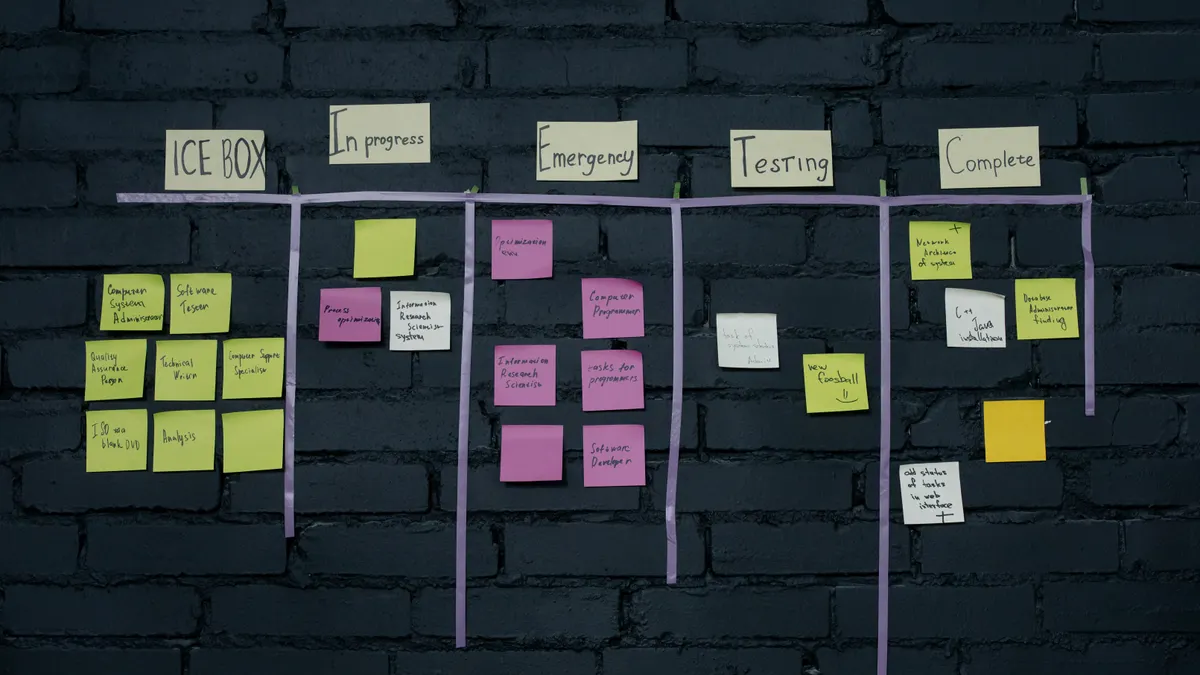
- A publishing workflow in a tool like Asana, Trello, Airtable, Jira, Monday.com, or Notion.
- A CMS checklist for final checks in WordPress, Contentful, Drupal, or Webflow.
- A post-publish review loop for updates, redirects, broken links, and performance tracking.
The standard advice says “document the process.” That is too vague to help. A real content operation needs rules that survive turnover. If one person can explain the whole process from memory, the process is too brittle. If a new hire needs a two-hour walkthrough just to publish a 900-word post, the system is too messy.
A useful benchmark is simple: if a standard post takes more than 2 review cycles or sits idle for more than 48 hours without a named blocker, the workflow needs fixing. That is not a universal law, but it is a practical sign that the process is controlling the work instead of supporting it. For governance and risk language, the Content Marketing Institute and the Content Marketing Association are useful references; for editorial quality and metadata standards, the W3C and schema.org are worth checking.
Quick check: if your main issue is not “what should we publish?” but “why does publishing take so long?”, this is the part that applies to you.
What actually determines the right content operations model?
The right model depends on volume, risk, and how many people touch the content before it goes live. If you publish one post a week with one writer and one editor, a light workflow in Trello may be enough. If you publish 20 pages a day across multiple regions, a light workflow will fail fast.
The biggest mistake is choosing a process based on team size alone. A 5-person team publishing regulated financial content may need more control than a 30-person team publishing low-risk lifestyle posts. The deciding factors are:
- Approval complexity
- Regulatory or legal review
- Number of channels
- Number of stakeholders
- Content freshness requirements
- Localization needs
- Translation volume
- CMS restrictions
If your content is high-risk, the answer flips toward control. Add version history, explicit approvers, deadlines, and a locked publishing checklist. If your content is low-risk but high-volume, the answer flips toward speed. Reduce handoffs, batch similar tasks, and reserve human review for the pages that matter most.
| Situation | Best Path | Why Other Options Fail |
|---|---|---|
| 1 writer, 1 editor, 5 to 10 posts per month | Simple workflow in Notion, Trello, or Asana | Heavy governance slows the team more than it helps |
| 5+ stakeholders, legal review, or regulated claims | Multi-stage approval with named sign-offs | Ad hoc review creates audit gaps and missed revisions |
| 3+ languages or regional variants | Localization workflow with translation memory and country owners | One master calendar is not enough to track variants |
| SEO-led publishing at scale | Briefs tied to keyword clusters, internal links, and template QA | “Write and publish” misses search intent and cannibalization |
| News or time-sensitive publishing | Short review windows and pre-approved assets | Long approval chains kill timeliness |
| Evergreen library maintenance | Recurring update queue and content decay checks | New content crowds out updates, and rankings slip |
If you want a practical starting point, map the work into five states: requested, drafted, reviewed, approved, published. Then add only the states you truly need. For some teams, “legal review” is a state. For others, “design complete” is a state. Do not add “nice to have” steps just because a template online looks sophisticated.
Here is the discipline that matters: every extra approval step should solve a real failure mode. If a step does not prevent a mistake, reduce it. If one approver blocks everything for 3 days, the bottleneck is not “careful review”; it is bad design.
A workable sequence looks like this:
- Collect the request with a form that captures audience, goal, deadline, channel, and owner.
- Assign a clear brief with the working title, primary keyword or topic, angle, CTA, and source requirements.
- Draft in one place, not across email threads and chat messages.
- Run editing against a style guide, SEO checklist, and brand rules.
- Route for approval only when the draft is ready, not while it is still unstable.
- Publish through the CMS with title, slug, meta description, schema, image alt text, and canonical tag checked.
- Audit the live page within 24 hours for formatting, links, analytics tags, and rendering issues.
Quick check: if you have different approval needs for regulated pages, news posts, and evergreen posts, your model should split by content type, not force one workflow onto everything.
If you’re building the workflow from scratch, start here
Start with the publishing path, not the org chart, if the team keeps missing deadlines or losing track of drafts. The fastest way to improve content operations is to make one post move cleanly from request to live page before you scale.
If you are setting this up from zero, the order matters. Do not begin with software. Begin with decisions:
- What content types do you publish?
- Who can request them?
- Who owns each stage?
- What must be checked before publish?
- What must be checked after publish?
- What gets archived, updated, or redirected?
If you skip those questions and buy a tool first, you usually end up automating confusion. A fancy dashboard does not fix an undefined review process.
A reliable setup can be built in 7 steps:
- List your content types: blog posts, landing pages, product pages, email, help docs, social, video scripts, or case studies.
- Define one owner per stage: requester, writer, editor, approver, publisher, and analyst.
- Create a brief template with audience, objective, source links, deadline, CTA, and required assets.
- Choose one workflow board in Asana, Trello, Airtable, Monday.com, Notion, or Jira.
- Build a publishing checklist for the CMS: headline, slug, H1, internal links, meta title, meta description, images, alt text, canonical tag, and schema where relevant.
- Set a QA window after publish, usually within 24 hours, to catch broken links, layout issues, and tracking problems.
- Document the exceptions: urgent posts, legal reviews, multimedia pieces, and localization handoffs.
The generic advice says “keep it flexible.” That is half-right and often harmful. Flexibility without rules creates rework. A better rule is: make the draft path flexible, make the publish path strict. Writers can iterate, but the live page cannot.
One practical way to reduce friction is to separate content into tiers:
- Tier 1: high-risk, high-visibility pages that need careful review
- Tier 2: standard editorial content
- Tier 3: low-risk updates that can be published with minimal review
That tiering changes who approves what. It also prevents the same 8-step review chain from slowing down every 300-word update.
For source control and workflow integrity, Git-style thinking helps even outside code: one owner, one version of truth, one place where changes are recorded. If content is copied into Slack, email, Google Docs, and the CMS at once, nobody knows which version is current. That is where errors multiply.
Quick check: if your biggest problem is that no one can explain “what happens next” after a draft is finished, you need a workflow map before you need a new tool.
The publishing checklist that keeps pages from breaking
The publishing checklist keeps the live page from shipping with obvious mistakes, and it should be treated like a gate, not a suggestion. If a page is high-visibility or revenue-bearing, the checklist needs to be strict enough that someone can follow it without guessing. The W3C’s guidance on markup and accessibility, along with schema.org’s structured data references, can help you define those checks more safely.
A lot of teams make the mistake of treating publishing as “press enter in the CMS.” That often leaves too many loose ends: the slug is wrong, the H2s are inconsistent, the featured image is cropped badly, or the meta description is missing. If the page is indexed like that, the cost lasts longer than the mistake.
A practical checklist should include at least these items:
- H1 matches the page intent
- URL slug is short and readable
- Meta title is within the CMS limit
- Meta description is present
- H2s are logical and not duplicated
- Internal links are checked
- External links open and point to the right source
- Images are compressed and named well
- Alt text describes the image, not the keyword
- Schema is valid where used
- Canonical tag is correct
- Redirects exist if replacing an old page
- Analytics tags fire
- Mobile rendering is checked
If you publish in WordPress, this can sit partly in the editor and partly in a pre-publish checklist. If you use Contentful, Drupal, or Webflow, you may need a custom QA flow because those systems shift responsibility differently.
The trade-off is speed versus control. If you add too many fields, writers stop filling them out. If you add too few, editors become the QA department. The sweet spot is a checklist with 12 to 15 non-negotiable items for standard content, and a second checklist for special cases like product launches or compliance-heavy pages.
Here is the practical order that avoids most errors:
- Confirm the page goal and audience one last time.
- Check the title, slug, and meta title for consistency.
- Scan headings for logic and hierarchy.
- Verify internal and external links.
- Check image sizing, compression, and alt text.
- Review schema, canonical tag, and noindex settings if relevant.
- Preview mobile and desktop layouts.
- Publish, then inspect the live URL immediately.
For standards references, schema.org is the place to verify structured data terms, and the W3C specs are the safer source when accessibility or markup questions come up. That matters because bad markup can be invisible in the editor and obvious to search engines, screen readers, or social scrapers.
Quick check: if pages look fine in draft but arrive live with missing links, weird spacing, or broken metadata, your checklist is too loose or too late.
How do you keep publishing from becoming a bottleneck?
You keep publishing from becoming a bottleneck by reducing handoffs, setting decision deadlines, and making the CMS the single source of truth. If every draft waits on the same person, the team is not being careful; it is being blocked.
The bottleneck often appears in one of three places:
- Review
- Asset creation
- Final CMS entry
If review is the issue, then shorten the feedback loop. Put comments in one document, limit feedback to one round where possible, and assign a clear approver. If asset creation is the issue, then build reusable templates for featured images, charts, and social graphics. If CMS entry is the issue, then use page templates and required fields.
A common mistake is to treat speed as a writer problem. It usually is not. Writers get blamed because they are visible, but the real drag is often a 3-person approval chain or an unclear final owner. If a draft sits for 5 business days after “final edits,” the process is broken.
A sane publishing cadence depends on volume:
- For low volume, a weekly content batch is enough.
- For medium volume, 2 to 3 publishing windows per week works better.
- For high volume, daily or twice-daily publishing windows prevent queue buildup.
If you publish under deadline pressure, then pre-build assets and templates. A 1,500-word post should not require brand-new design work every time. If you have recurring content types, standardize the intro blocks, callout styles, FAQ patterns, and author boxes.
This is where the standard advice fails: “move fast and iterate” sounds good, but publishing is not a hackathon. If you are dealing with regulated claims, enterprise buyers, or high-traffic pages, fast mistakes are expensive. The right move is not to go slower everywhere; it is to go faster in drafting and stricter at the gate.
A useful operating model:
- Writers draft in shared docs.
- Editors edit in the same doc.
- Approvers review only after editorial cleanup.
- Publishers move the approved version into the CMS.
- Analysts review performance 7, 14, and 30 days after publish.
That 7/14/30-day rhythm is enough for many teams to spot problems without drowning in reporting. If a page underperforms, the fix is often structural: title mismatch, weak internal linking, wrong intent, or poor placement in the site architecture.
Quick check: if publishing feels slow even when writing is done, the bottleneck is probably review, assets, or CMS entry — not the draft itself.
What about governance, compliance, and brand control?
Governance, compliance, and brand control are what keep publishing from creating legal, reputational, or accessibility problems, and they matter more as risk rises. If you publish health, finance, legal, employment, or safety content, the workflow needs stricter controls than a general-interest blog.
The mistake most teams make is treating governance as a PDF nobody reads. That does nothing. Governance only helps when it changes behavior at the moment of creation and publish. That means:
- Required disclaimers for certain topics
- Approval by subject-matter experts where needed
- Style rules for claims and comparisons
- Accessibility checks for contrast, headings, alt text, and keyboard navigation
- Archiving rules for outdated or superseded pages
If compliance is involved, the answer flips away from speed-first publishing. Build a review step that is mandatory for flagged content only. Do not send every page through legal if only 10% of pages need that scrutiny. But do not skip legal or compliance on the pages that do.
The Americans with Disabilities Act is not the right citation for every web workflow detail, but accessibility expectations are real, and the W3C Web Content Accessibility Guidelines are the most practical standard to consult for structure, contrast, and keyboard accessibility. If your team publishes in the EU or UK, local accessibility rules may also matter, so check the applicable guidance with counsel or compliance staff.
Brand control has a cost too. If every adjective needs approval, content slows to a crawl. If nothing is controlled, voice fragments across the site. The middle ground is a short style guide with examples, banned phrases, tone notes, and formatting rules. Keep it to what people actually use.
A good governance stack usually includes:
- A style guide
- An approval matrix
- A claims policy
- An accessibility checklist
- A content retention or archive policy
- A correction policy for errors after publish
If you need a hard line, here it is: content operations is not “extra process.” It is the way you prevent unowned content from becoming a liability.
Quick check: if one wrong sentence on a page could create a real business problem, your workflow needs governance baked in, not added later.
Edge cases where the normal advice breaks down
The normal advice breaks down when the content is unusual, urgent, or distributed across multiple systems, and the workflow has to change with the risk. If you try to force a standard blog process onto these cases, you will create delays or mistakes.
-
A newsroom or breaking-news workflow
Situation → the work is time-sensitive and stale within hours.
What changes → speed matters more than full review.
What to do instead → use pre-approved templates, short approval windows, and a live-update editor. Keep a correction log. -
A regulated finance or healthcare page
Situation → claims can create legal or compliance exposure.
What changes → review must be gated and documented.
What to do instead → add subject-matter approval, keep source notes, and require sign-off before the CMS publish step. -
A multilingual or localization-heavy site
Situation → one post becomes 3 to 15 versions.
What changes → the workflow is no longer linear.
What to do instead → assign country owners, manage translation status separately, and track locale-specific metadata. -
A site migration or redesign
Situation → hundreds of URLs are changing at once.
What changes → redirects and content mapping become the priority.
What to do instead → build a URL map, audit canonical tags, and verify old-to-new redirects before launch. -
A knowledge base or help center with frequent updates
Situation → pages need maintenance more than new creation.
What changes → update cadence matters more than a publish calendar.
What to do instead → create a decay review queue and assign owners by post cluster. -
A tiny team with no dedicated editor
Situation → the same person writes, edits, and publishes.
What changes → the process must be narrow or it will collapse.
What to do instead → use one checklist, one review pass, and one fixed publishing window per week.
The wrong advice in edge cases is always the same: “just add more process.” That is not the answer if the real problem is speed, ownership, or scale. The better move is to change the process to match the risk profile.
If you are dealing with a migration, a high-risk topic, or a newsroom, then your normal content calendar is not enough. If you are running a tiny brand with 2 people and 4 posts a month, enterprise-style governance will slow you down for no gain.
Quick check: if your content has legal risk, translation needs, or hard deadlines, this is the section that tells you where standard publishing advice stops working.
How to measure whether the system is working
The system is working if content moves through the pipeline with fewer blockers, clearer ownership, and fewer fixes after publish. If the only metric is “how many posts went live,” then the operation can look busy while still producing avoidable errors.
The right measures are not glamorous, but they are useful:
- Cycle time from request to publish
- Number of revision rounds
- Number of pages published on time
- Percent of pages requiring post-publish fixes
- Time to correct a live error
- Pages updated within a set review period
- Content performance by page type, not just by total traffic
If a standard post takes 14 days from brief to publish, and 10 of those days are waiting, the problem is not writing speed. If post-publish fixes happen on nearly every page, the checklist or approval step is weak. If only new content gets attention while old content decays, the system is optimized for production, not maintenance.
A practical review cadence is monthly for workflow metrics and quarterly for the whole operating model. Monthly reviews catch bottlenecks before they harden. Quarterly reviews let you decide whether the structure still matches the volume and risk profile.
Do not measure vanity counts alone. A team that publishes 40 posts a month can still underperform if half the pages need cleanup. A smaller team that publishes 12 well-controlled posts may be doing the better work.
For dashboards, a simple stack in Airtable, Looker Studio, Power BI, or even a spreadsheet can be enough if the inputs are clean. The tool matters less than the consistency of the fields.
If you need a blunt rule: if you cannot tell which stage is slowing content down, the reporting is too vague to be useful. The CMI and W3C both offer useful reference points when you need to align reporting with process quality and standards.
Quick check: if you can say how many pieces were published but not how long they took or where they stalled, your measurement system is incomplete.
The verdict: what a good content operation looks like
A good content operation is boring in the best way: requests are clear, drafts move, approvals are named, publishing is checked, and maintenance is scheduled. If the system depends on memory, it will fail the moment the team grows, the topic gets riskier, or the CMS changes.
The strongest setup is not the most complicated one. It is the one that fits the content type, the risk level, and the team’s actual capacity. If you publish mostly low-risk content, keep the workflow light and the checklist tight. If you publish regulated or multi-market content, increase control only where it reduces real risk.
That is why the generic answer is wrong for so many teams. “Get organized” is not a plan. A real plan names who owns each step, which content needs extra review, what must be checked before publish, and how the system gets better after the page goes live.
If the process is still breaking, do not start by blaming the writer, the editor, or the CMS. Start by asking where the work waits, where the handoffs multiply, and which step exists only because nobody has challenged it yet.
Quick check: if you want fewer surprises after publish and fewer stalled drafts before it, the fix is not more content — it is a better operating system for the content you already make.
FAQ
What is the difference between content operations and content publishing?
Content operations is the system; publishing is one outcome of that system. Content operations includes intake, planning, writing, editing, approvals, QA, and maintenance, while publishing is the final step that moves approved content live.
Do small teams really need content operations?
Yes, but they need a lighter version. A 2-person team usually does not need enterprise software, yet it still needs a brief, a checklist, one source of truth, and a clear publish owner.
Which tools are best for content operations?
The best tool is the one your team will actually use consistently. Asana, Trello, Airtable, Notion, Monday.com, Jira, WordPress, Contentful, Drupal, and Webflow can all work, but the workflow design matters more than the brand name on the tool.
How often should published content be reviewed?
That depends on the content type. News may need same-day review, evergreen posts often need a 3- to 12-month review cycle, and help-center content may need scheduled checks after product changes or releases.
What is the biggest mistake teams make?
The biggest mistake is letting content move through the system without a clear owner at each stage. When nobody is responsible for the next step, work stalls, quality drops, and errors survive into the live page.
Drafted with AI; not yet reviewed by a person.